

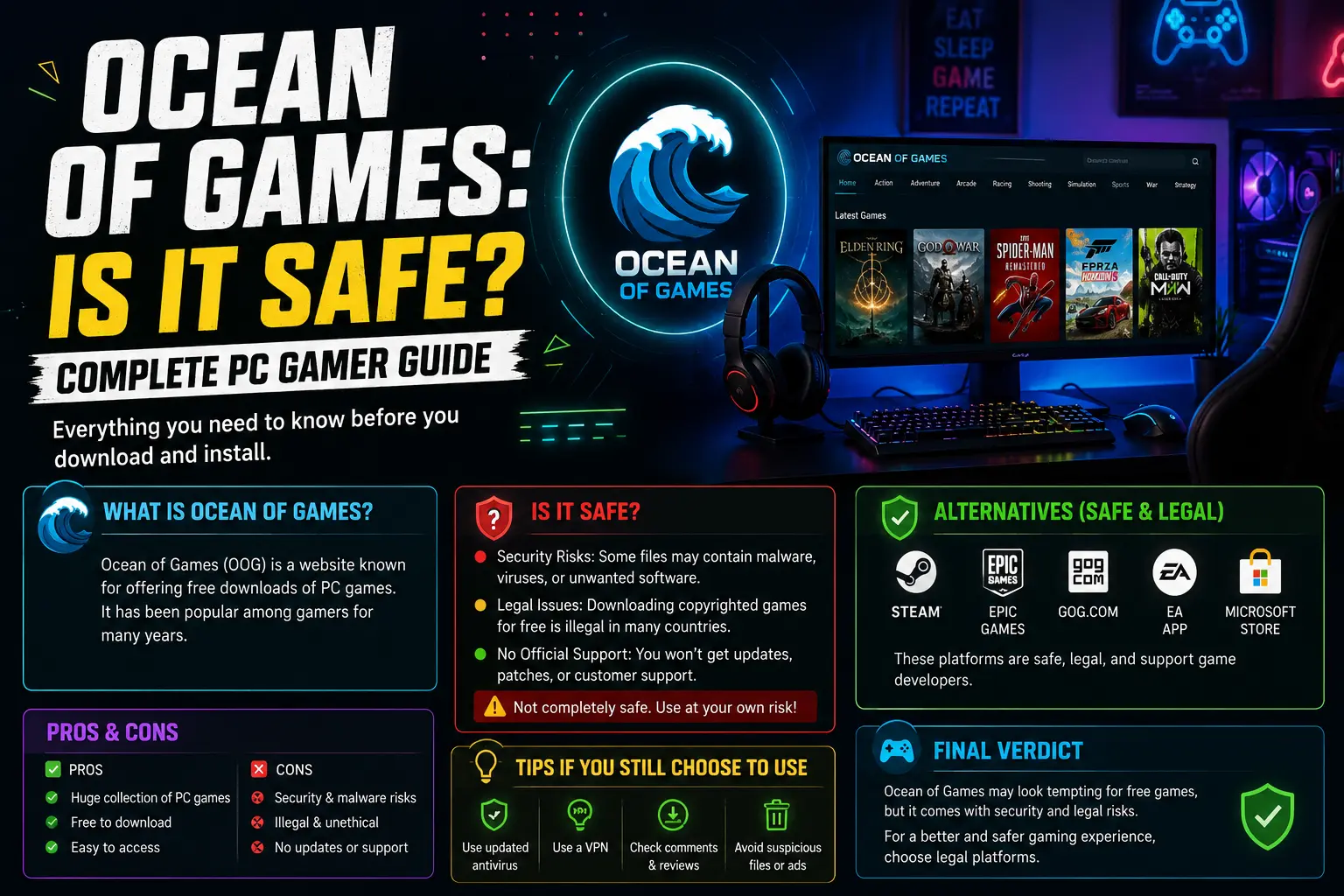
If you love PC gaming, you have probably seen the name Ocean of Games. Maybe a friend mentioned it. Maybe it popped up in a search while you were looking for a new game. The site promises big games with no price tag, and that sounds great when new releases cost a lot.
But is it really a good deal? This Ocean of Games: Complete Guide for PC Gamers gives you the full picture in plain words. You will learn what the site is, how it works, what can go wrong, and what you can do instead. By the end, you will know how to build a huge game library without spending much and without putting your computer at risk.
What Is Ocean of Games?
Ocean of Games is a website that offers free download links for PC games. The list includes small indie titles and big, expensive releases. Games are sorted by type, such as action, racing, sports, and simulation. Each page usually shows a short story summary, the system needs, and a download button.
The key point is this: most of the games on the site are paid games. Their creators sell them on stores like Steam, Epic Games Store, and GOG. Ocean of Games does not get permission from these creators. The files on the site are copies that were changed to skip the payment and license checks. These copies are often called “cracked” games.
That is why people call it a piracy site. It is not a store. It is not a partner of any game studio. It is a place where unauthorized copies are shared.
Why Do So Many Gamers Search for It?
It helps to be fair here. Most people who search for Ocean of Games are not bad people. They have real reasons:
Games are expensive: A new big release can cost sixty dollars or more. In many countries, that is a large part of a month’s pay. For a student or a young player, it can feel out of reach.
Prices are not the same everywhere: Some regions pay much more compared to what they earn. A game that feels fair in one country can feel unfair in another.
Gamers want to try before they buy: Nobody wants to pay for a game they might not like. Refunds exist on some stores, but many people do not know how they work.
The names look familiar: Many old sites have copycats. When you search for a game name, the first results can be these kinds of sites, and people click without thinking.
Slow internet and old hardware: Some players worry a game will not run on their PC. They want to test it first.
These are all fair worries. The good news is that you can solve every one of them in a legal and safe way. We will cover that later in this guide.
How Sites Like Ocean of Games Usually Work
Understanding how these sites work shows you where the danger hides.
First, the site lists a game and shows a download button. The page is often full of ads. Many of those ads are designed to look like download buttons. This is a common trick. You click what looks like the right button, and you land on a different page or start a different download.
Second, the real download is often hosted on a third-party file site. You may have to wait, close pop-ups, or pass extra steps before you get the file.
Third, the file usually comes as a compressed folder or an installer. Inside are the game files plus a changed part that removes the license check. This changed part is what antivirus programs often flag.
Fourth, the instructions often tell you to turn off your antivirus. This should be a big warning sign. A trusted program never needs you to switch off your protection.
Each of these steps adds risk. Let us look at that closely.
Is Ocean of Games Safe?
The honest answer is: not really. Visiting the front page may not harm your device. But downloading and running files from the site is where the trouble starts.
Here are the main dangers.
1. Malware and Viruses
Malware is software built to harm your PC or steal from you. Cracked games are a very popular way to spread it, because people already expect their antivirus to complain about cracks. Hackers know this. They hide bad code inside the file and count on you to ignore the warning.
Security checking tools have flagged this site and similar copies of it as dangerous. Some users report that after running a setup file, their antivirus stopped working or their screen acted strangely.
2. Crypto-Mining Software
Some hidden programs use your graphics card and processor to mine digital coins for someone else. You may not see anything obvious. But your PC gets slow, your fans get loud, your games lag, and your power bill goes up. Meanwhile, your hardware wears out faster.
3. Stolen Passwords and Accounts
Some malware watches what you type or copies saved passwords from your browser. For gamers, this is a big risk. Your Steam account, your email, your bank details, and your social media can all be at risk. Losing a game account with years of purchases hurts more than paying for one game.
4. Fake Download Buttons and Scam Pages
The site is known for ads that look like real buttons. Clicking them can open scam pages, fake prize pages, or pages that ask for your personal details. Some try to make you install a browser add-on that changes your settings.
5. Ransomware
Ransomware locks your files and asks for money to open them. It is rare, but it does happen with pirated software. Losing your photos, school work, or work files is a heavy price for one free game.
6. Broken or Unstable Games
Even when a file has no virus, a cracked game can crash, miss parts, or fail to update. You cannot get support from the creator. If a patch comes out that fixes a bug, you may not be able to use it.
7. No Online Play
Most cracked games cannot use official online features. You may not be able to play with friends, join ranked matches, or use cloud saves. Some games ban or block unofficial copies.
Is Ocean of Games Legal?
No. Downloading copyrighted games without paying or without the owner’s permission breaks copyright law in most countries. The site shares games it does not own, and the people who download them also take part in that sharing.
How strict the law is, and how often it is enforced, depends on where you live. In some places, the risk of a fine or a warning letter from your internet provider is real. In others, enforcement is rare. But even when no one comes after the user, the act is still against the rules.
There is also a simple fairness question. Game studios, from huge teams to one person in a bedroom, spend years building a game. Sales are how they pay their bills and make the next game. When a game is copied widely without payment, that hurts the people who made it. Small indie studios feel this the most.
Another thing worth knowing: sites like this often change their web address when they face legal pressure. This means lookalike sites pop up all the time. Many of them are run by different people, and some are made only to trick visitors. You cannot be sure that the site you land on is the one you meant to visit.
Red Flags Every PC Gamer Should Know
Whether you are on this site or any other place that offers free copies of paid games, these signs should make you stop:
- The site says a paid game is free with “no purchase needed.”
- You are told to turn off your antivirus or firewall.
- The download is a tiny setup file for a huge game. A game that is 40 GB in size should not come from a 5 MB file.
- The setup asks you to install extra toolbars, “download managers,” or “drivers.”
- File names look odd, like “setup.exe.exe” or a string of random letters.
- You must fill in surveys or enter personal details to get the file.
- The site has no contact page, no company name, and no way to reach a real person.
- Pop-ups and flashing ads cover the page.
If you see even one or two of these, close the tab.
What If You Already Downloaded Something?
Mistakes happen. If you already ran a file from a site like this, do not panic. Take these steps:
- Disconnect from the internet: This can stop malware from sending your data out.
- Run a full scan with a trusted antivirus. Windows Security is a good start. A second opinion from a free on-demand scanner can help too.
- Change your passwords from a different, clean device. Start with email, then banking, then gaming accounts.
- Turn on two-factor login for your important accounts.
- Check your installed programs and browser add-ons. Remove anything you do not remember adding.
- Watch your bank and card statements for strange charges.
- Consider a fresh start: If you are still unsure, back up your personal files (not programs), then reinstall Windows. This is the safest way to be sure that hidden software is gone.
The Smart Way: Get Great PC Games Without the Risk
Here is the best part. You do not need a pirate site to play good games for little or no money. PC gaming has more free and low-cost choices than ever. Here is how to use them.
1. Claim Free Games Every Week
Several stores hand out full games for free on a regular schedule.
Epic Games Store gives away at least one full game each week. Once you claim a game, it stays in your library forever. If you check in every week, you can build a large library over a year without spending anything.
GOG sometimes runs giveaways and offers a lot of older games at very low prices. Its games come without copy protection, which many players like.
Prime Gaming gives away several games each month to people who already have an Amazon Prime membership.
Steam offers free weekends, where you can play a game for free for a few days. Many players love this way of trying a game before buying it.
2. Play Free-to-Play Games
Many of the biggest games on PC cost nothing to start. Shooters, battle royales, strategy games, card games, and online role-playing games all have free versions. They are paid for by optional items, usually cosmetic ones.
Popular free games include titles like Counter-Strike 2, Valorant, Apex Legends, Dota 2, Warframe, Path of Exile, and many more. These are polished, updated often, and have big player communities. You also get online play, which pirated copies often miss.
A small tip: always check how a free game makes money. Pick ones where spending is optional and does not give a big advantage.
3. Wait for Sales
Almost every game goes on sale sooner or later. Steam holds big seasonal sales, including Summer, Autumn, Winter, and Lunar New Year events. Epic and GOG run their own sales too. Discounts of 50 to 80 percent are common for games that are a year or two old.
A good habit is to use a wishlist. Add the games you want, and the store will tell you when the price drops. Patience is the cheapest “cheat code” in gaming.
You can also use price tracking websites that show a game’s lowest price in the past. They help you spot a real deal and avoid fake ones.
4. Use Game Subscriptions
If you play many different games, a subscription can be cheaper than buying each one.
Xbox Game Pass for PC gives you access to a big library of games for a monthly fee, including many new releases that arrive on the same day as the console version.
EA Play and Ubisoft+ offer libraries from those publishers.
You can often pay for just one month, play a few games you want, and then cancel. That is far cheaper than buying them all.
5. Try Demos and Refunds
Many games have free demos on Steam. Try one before you buy. Steam also has a refund rule that lets you ask for money back if you played for only a short time, and bought recently. Check the current rules on the store page. Using a demo or a refund removes the biggest worry, which is paying for a game you will not enjoy.
6. Buy from Trusted Key Sellers
Some authorized shops sell game keys at lower prices. If you use this route, pick well-known sellers with good reviews and clear refund rules. Avoid sellers with prices that look too good to be true. Keys from shady sources can be stolen or banned later.
7. Look at Indie Games and Game Jams
Indie developers often sell games for a few dollars. Some of the most loved games of the last ten years came from tiny teams. Websites like itch.io host thousands of free and pay-what-you-want games. You can find creative games here that big studios never make.
8. Enjoy Free Classics and Open-Source Games
Many older games have been released for free by their creators. There are also open-source games made by communities, which are free and safe to install. If you want a retro feel, this is a fun place to explore.
9. Borrow and Share Legally
Some families and friends share a game library using the family sharing features on Steam. Ask a friend if you can set this up. You can also check whether your local library has any game programs.
How to Check If a Download Is Safe
Even with legal games, it is wise to stay careful. Use these habits for any download:
- Download from official stores or the official site of the developer.
- Check the web address: Make sure it is spelled right. Scam sites copy names with one letter changed.
- Read recent reviews: Look at what other players say, especially about performance and problems.
- Use a good antivirus and keep Windows updated.
- Never turn off protection to run a setup.
- Use a different password for each site, and use a password manager.
- Turn on two-factor login on your gaming accounts.
- Keep backups of your important files.
Can Your PC Run the Game? Check Before You Buy
One reason people try pirated copies is to see if a game runs well. You can find that out in safe ways:
- Read the minimum and recommended specs on the store page.
- Use a system requirement checking tool that compares your PC to a game’s needs.
- Watch performance videos on YouTube from players with parts similar to yours.
- Try the demo or use the refund option.
If your PC is old, you can also lower graphics settings, close other programs, and update your graphics driver. These small steps give you better speed without any cost.
Ocean of Games vs. Legal Options: A Simple Comparison
| What you care about | Ocean of Games | Official stores and legal options |
|---|---|---|
| Price | Free, but at a hidden cost | Free to full price, with many deals |
| Legal | No | Yes |
| Safety | High risk of malware | Safe and checked |
| Updates and patches | Often missing | Automatic |
| Online play | Often blocked | Fully supported |
| Support | None | Available |
| Cloud saves | No | Yes |
| Helps the creators | No | Yes |
When you look at it side by side, “free” turns out to be the more costly choice if something goes wrong.
Frequently Asked Questions
Is Ocean of Games a real website?
Yes, the site exists, and many lookalike sites exist too. Because it keeps getting copied and moved, it is hard to know which one you are on. That alone is a reason to be careful.
Can I get in trouble for using it?
Downloading pirated games is against copyright law in most places. The risk varies by country. Your internet provider may also send warnings or slow your connection. Beyond the law, the danger to your PC and accounts is a real cost.
Does using a VPN or antivirus make it safe?
No. A VPN hides some of your internet activity, but it does not clean a bad file. An antivirus can catch some threats, but new malware often slips through, and the site often tells you to turn it off anyway. Nothing makes a pirated installer fully safe.
Are there any good free sites for PC games?
Yes. Look at Epic Games Store giveaways, Steam’s free-to-play section, itch.io, GOG’s free offers, and Prime Gaming. These are all legal and safe.
I cannot afford games at all. What should I do?
Start with free-to-play games and weekly giveaways. Add games to a wishlist and buy only during deep sales. Try one month of a subscription if you want a particular game. Over time, you can build a library without spending much.
What is the safest first step today?
Make an account on Epic Games Store, claim this week’s free game, and add a few titles to your Steam wishlist. That costs nothing and starts your library the right way.
Tips to Build a Big Game Library on a Small Budget
Here is a simple plan you can start today:
- Set up free accounts on Steam, Epic Games Store, GOG, and Prime Gaming if you have Prime.
- Claim free games weekly: Put a reminder on your phone every Thursday, when many giveaways refresh.
- Build a wishlist of games you want and wait for a sale.
- Set a small monthly budget, even five dollars, and spend it on the best deal.
- Try a subscription for one month if a big game you want is included.
- Play demos first so you buy only what you love.
- Support indie developers by buying their games when they are on sale.
A year of doing this can give you dozens of games, all safe, all legal, and all fully working.
The Bigger Picture: Why Your Choice Matters
Every time you buy a game, you are voting for the kind of games you want to see. When small studios earn money, they make more creative games. When they do not, they close. Many beloved games exist only because players supported them.
You do not have to feel guilty for being on a tight budget. Just remember that there are many kind and clever ways to play without taking what is not yours. And your computer, your data, and your gaming accounts are worth far more than any single game.
Final Thoughts
So, what is the final answer in this Ocean of Games: Complete Guide for PC Gamers? Ocean of Games is a place that shares paid games without permission. It is not legal, it is not safe, and it is not worth the risk to your PC or your personal details. Fake buttons, hidden malware, stolen passwords, and unstable games are common problems, and the “free” game can end up costing you much more than the price tag.
The better path is simple. Use free weekly giveaways, free-to-play hits, big sales, demos, subscriptions, and indie gems. These give you a lot of fun, keep your PC clean, and support the people who make the games you love.
Gaming should be fun and stress-free. Play smart, stay safe, and enjoy every level.
