

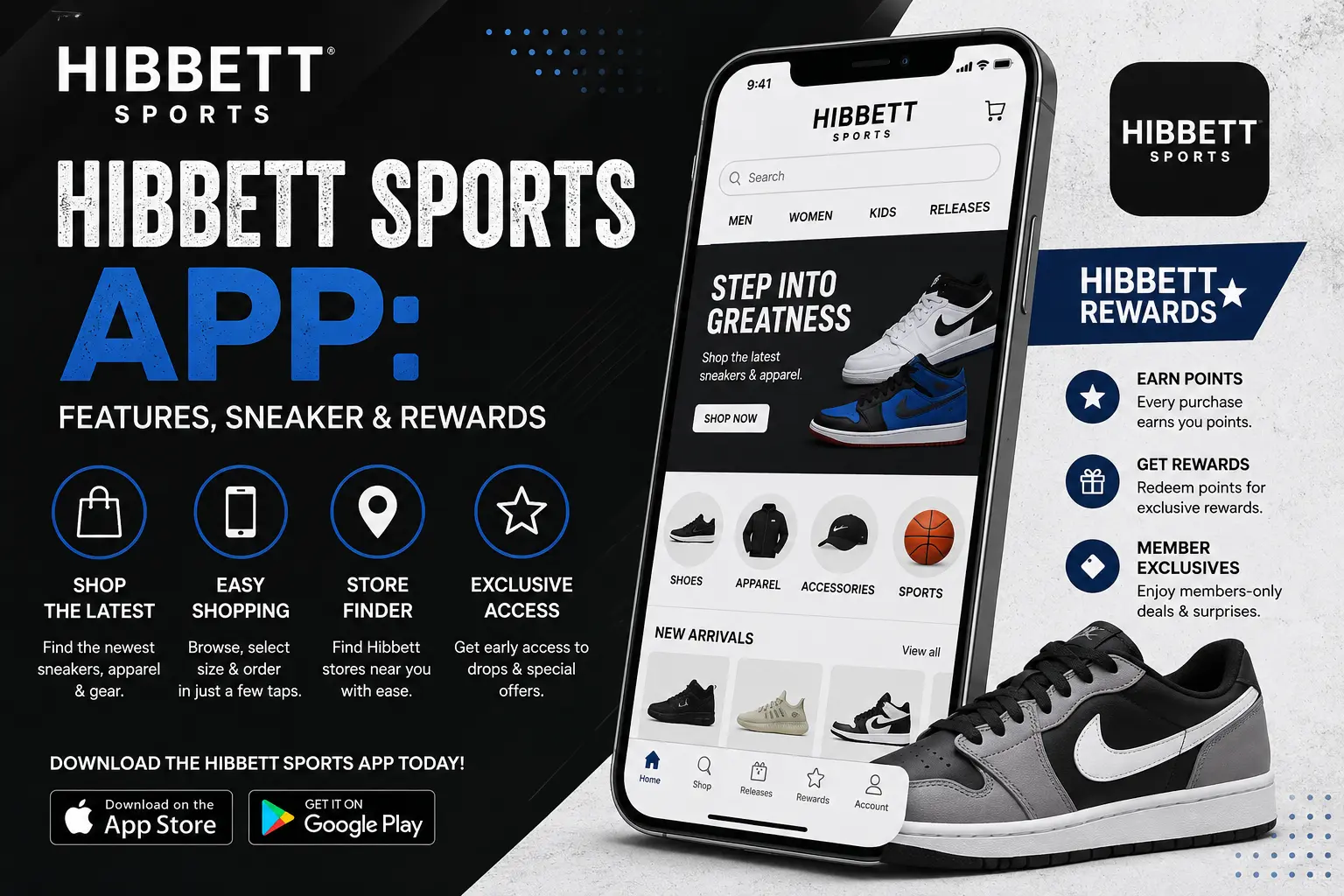
If you love sneakers, you have probably heard of Hibbett. The store has been a favourite for shoes, clothes, and sports gear for many years. But the store isn’t the only way to get your hands on the latest pair. The Hibbett Sports App puts the whole store on your phone.
In this guide, we will walk through everything the app can do. We’ll cover Hibbett Sports App features, how sneaker releases work, how to enter raffles, how Hibbett Rewards help you save, and what to do when the app gives you trouble. We use simple words, so you can follow along even if you are new to sneaker culture.
Let’s get started.
What Is the Hibbett Sports App?
The Hibbett Sports App is the official shopping app from Hibbett. It is built for sneaker fans and gives access to launch shoes, fashion and running styles, and top brands like Nike, Adidas, Jordan, and New Balance, for men, women, and kids.
Think of it as a pocket-sized version of the store. You can look at shoes, read about new drops, buy items, and check your rewards, all without walking into a shop.
The app works on both iPhone and Android phones. On the Apple App Store, it is listed as free to download, with no in-app purchases. You will find it under a name like “Hibbett | City Gear” or “Hibbett – Sneakers & Clothing.” The City Gear name is there because Hibbett and City Gear are part of the same family of stores.
One small note: the iPhone listing shows an age rating of 17+. This is common for shopping apps, and it is worth knowing if you plan to let a young person use your phone.
A Short Look Back: Why Hibbett Built an App
Hibbett first brought its app to the App Store and Google Play several years ago. At the time, the company said it spent more than a year building and testing the app with customers and stores. sgbonline
The goal was simple. Shoppers were using their phones for everything, so Hibbett wanted a quick way for them to see new releases, get alerts, and enter raffles for hard-to-find shoes.
Since then, the app has kept growing. Today it is a main tool for sneaker fans who want early news and a fair chance at limited pairs.
Main Hibbett Sports App Features
Let’s go through the big features one by one. Each one helps you in a different way.
1. The Launch Calendar
The launch calendar is the heart of the app. It shows a list of sneakers that are coming soon and ones that came out recently.
You can follow the in-app calendar to learn about upcoming sneaker releases and see how to enter Launch Raffles for some of the biggest drops of the year.
Why does this matter? Popular sneakers sell out fast. If you know the date, you can plan ahead. You can set a reminder, get your payment details ready, and be there when the shoe goes live.
2. Launch Alerts and Push Notifications
You do not have to check the calendar every day. The app can send you a push notification when something you care about is about to happen.
Hibbett suggests that you sign up for launch alerts through the calendar or your Rewards account, and turn on push notifications so you get up-to-the-minute updates.
You can use alerts for:
- A shoe you want that is about to launch
- A raffle that opens soon
- A raffle result
- Sales and special offers
If you only want sneaker news, you can choose to keep other alerts off. You are in control.
3. Launch Raffles
Raffles are one of the most talked-about parts of the app. We will cover them in more detail below, but here is the short version. For very popular shoes, Hibbett does not sell them on a first-come, first-served basis. Instead, you enter a raffle. If you win, you get a chance to buy the shoe.
4. Full Shopping Access
The app is not only for sneaker drops. You can browse the full catalog, which includes clothing, sneakers, shoes, gear, and more.
So if you just need a pair of running shoes, a hoodie, a team jersey, or cleats for the season, you can shop for those too. You can search by brand, size, price, and style.
5. Rewards Account Tools
The app lets you manage your Rewards account, earn points on in-app purchases, and see offers and limited-time deals in one place. You do not have to hunt through emails or papers to find your savings. It is all in your account.
6. Save For Later
Not ready to buy? Use the “Save For Later” option. Hibbett says you can tag your favorite launch products this way, and they will be saved in your Rewards profile. This is a great way to build a wish list. When payday comes, your favorites are right there.
Hibbett Sneaker Releases: How Drops Work
A sneaker “release” or “drop” is the day a new shoe goes on sale. Some shoes are easy to find. Others are so popular that thousands of people want them at once.
Hibbett explains that the hotter the release, the faster it sells out, so the most hyped releases are saved for exclusive Launch Raffles.
Here is how you can think about the two types of releases:
Regular releases: These go on sale in stores or online on a set date. Anyone can try to buy them. If you are fast, you can get a pair.
Raffle releases: These need a raffle entry. You sign up during a set window. Winners are picked later. This helps stop long lines and bots, and it gives more people a fair shot.
The best way to know which type a shoe is? Open the launch calendar. It will show you if a raffle is linked to that shoe.
How to Enter a Hibbett Sneaker Raffle (Step by Step)
Entering a raffle is easy once you do it one time. Follow these steps.
Step 1: Download the app and sign in: Get the Hibbett app from the App Store or Google Play. Create an account or log in. Hibbett says you can reach raffles through the app or the website.
Step 2: Open the Launch Calendar: Look through the upcoming releases. The calendar will show you which sneakers have a raffle attached.
Step 3: Pick your shoe and size: Tap the shoe you want. Read the details. Choose your size and, if asked, the store you would like to pick it up from.
Step 4: Submit your entry before the window closes: Hibbett says late entries are not accepted, so watch the time. Set a reminder so you do not forget.
Step 5: Turn on notifications: Winners are told by push notification if they entered through the app, or by email if they entered on the website. If you turn off alerts, you might miss your win.
Step 6: Complete your purchase if you win: A win means you get the chance to buy the shoe. Make sure your payment and address details are up to date so checkout is fast.
Tips to Get Ready for a Raffle
A little prep goes a long way. Here are some helpful things to do before the day arrives.
- Update the app: Hibbett advises that you use the latest app version and make sure raffle and launch notifications are on.
- Check your login: Be sure you are signed in to your Rewards account in the app and on the website.
- Review your details: Keep your shipping, billing, and payment details current so your purchase can go faster on launch day.
- Use a good internet connection: Weak Wi-Fi can cause errors right when you need the app most.
- Read the rules: Every raffle can have its own rules, such as limits per person or pickup details.
Hibbett Rewards: How the Loyalty Program Works
The Hibbett Rewards program is a free way to get more from your shopping. You can join in the app, and many of the best features are tied to it.
Hibbett says that when you join Rewards, you get $10 in Awards for every $200 you spend, plus early access to offers and sales.
Here is what that looks like in real life. If you spend $200 over a few trips, you get a $10 Award to use on a future order. It is not a huge amount, but it adds up if you shop often.
Other perks you may see include:
- Early access to certain deals
- Special member offers
- Birthday rewards
- A simple place to see your points, awards, and past orders
Because offers can change, always check the app for the most current rules. What was true last year may be a little different today.
Why Join Through the App?
Joining through the app makes things simple. You can see your points at any time. You can use your Awards at checkout. And since some raffles need a Rewards account, having one ready means you will not be rushing to sign up at the last minute.
The Hibbett Kids App
Shopping for children? Hibbett also has a separate app made just for families.
The Hibbett Kids app is made for parents and kids. It lets you shop sneakers, clothes, accessories, and cleats, get new style alerts, and earn Rewards points on purchases. It also shows back-to-school deals during that season.
At the time of this writing, the App Store lists it for iPhone only. If you use Android, check the Google Play Store to see if it has been added.
The Kids app is a nice choice if you want a cleaner, simpler view of children’s sizes and styles. Kids grow fast, so being able to find the right size quickly is a big help.
Shopping Deals and Coupons in the App
Everyone likes to save money. The app can help in a few ways.
App offers: The app can show you limited-time deals and special messages from Hibbett. Turning on notifications makes sure you see them.
Rewards Awards: As we said, your Awards can lower the price of a future order.
Seasonal sales: Hibbett often runs sales during holidays and back-to-school season. The app is a great place to spot them.
A quick word of caution: you may see websites that list lots of coupon codes. Many of these are old, or they simply do not work. The safest way to find a real deal is to check the Hibbett app or the official Hibbett website. If a code does not work at checkout, do not worry. Look at your Rewards offers first.
Buying in the App vs. Buying in the Store
You might ask: is it better to use the app or walk into the store? The truth is that both have good points.
Why the app is great:
- You can see the whole catalog at once
- You can check sizes without driving anywhere
- You get alerts for drops
- You can enter raffles from your couch
Why the store is great:
- You can try shoes on
- Staff can help with fit and advice
- You can pick up raffle wins at your chosen store, where that option applies
- You can walk out with your item right away
Many people use both. They find a shoe on the app, then visit a store to try it on or pick it up. If you are curious about pickup choices, look for the store pickup option at checkout and check which stores near you have your size.
Tips to Get the Most From the Hibbett Sports App
Here are some simple habits that can help you.
- Turn on notifications right away: Without alerts, you can miss a drop.
- Keep your account details fresh: Update your address and payment method before big launches.
- Use Save For Later: Build a list of shoes you want so you can act fast.
- Check the calendar each week: A quick look helps you plan your money.
- Know your size: Different brands fit differently. If you are not sure, try a pair in store first.
- Set a budget: Hype can make you spend more than you mean to. Decide your limit before you shop.
- Be kind to yourself about losses: Not everyone wins a raffle. There will always be another drop.
- Stay safe: Only buy from the official app and website. Be careful with fake links and text messages that ask for your login.
Common Problems With the App (and Simple Fixes)
No app is perfect. Some users have shared that they ran into issues. App Store reviews include complaints that the app would not work for some people at times, and that the raffle tools could be better, for example not showing the stores a person selected after entering.
If you hit a problem, try these quick fixes.
The app will not open or keeps crashing:
Close the app fully and open it again. Then restart your phone. If that does not work, check the App Store or Google Play for an update.
You cannot log in:
Check your email and password. Use the “forgot password” option if needed. Make sure you are not on a weak network.
You did not get a raffle alert:
Open your phone settings, find the Hibbett app, and make sure notifications are on. Also check that you did not mute alerts inside the app.
You cannot see your raffle entry:
Look in your account or order area. If you do not see it, check your email for a confirmation message. If you are still not sure, contact Hibbett customer support through their official website.
The app is slow on launch day:
Many people are using it at once. Be patient, avoid tapping the same button again and again, and try again after a short wait.
Payment fails:
Check that your card details, billing address, and expiration date are right. Try another card if needed.
If nothing helps, you can delete the app and install it again. Make sure you remember your login details first.
Is the Hibbett Sports App Safe?
Safety matters when an app holds your name, address, and payment information.
Here is what you can do to protect yourself:
- Download only from the official App Store or Google Play
- Use a strong password you do not use anywhere else
- Turn on your phone’s screen lock
- Do not share your login with other people
- Watch out for scam emails or texts that look like Hibbett but ask for passwords
- Keep your phone’s software up to date
The App Store listing also notes that privacy practices can vary based on the features you use or your age. It is a good idea to read the privacy details in the store listing so you know what data the app may handle.
Who Should Use the Hibbett Sports App?
The app can be useful for many kinds of shoppers.
Sneakerheads: If you chase limited drops, the launch calendar and raffles are made for you.
Everyday shoppers: Need new running shoes or a gym outfit? The app makes it easy to browse and buy.
Parents: The Kids app and the main app can help you find school shoes, sports gear, and cleats.
Athletes and teams: If you play football, basketball, soccer, or baseball, you can find gear for the season.
Deal hunters: Rewards, alerts, and sales can help you stretch your money.
Hibbett App vs. Hibbett Website
Both give you access to the shop. So which should you choose?
The app has a few edges. It sends push notifications, keeps you signed in, and makes raffle alerts simple. The website works well on a bigger screen, which is nice if you want to compare many products at once. Raffles can be entered on both, but winners are alerted by push notification in the app and by email on the website.
If you want the fastest news and quickest alerts, the app is usually the better pick. If you like a large screen, the website is a fine choice. You can use both with the same Rewards account.
What Makes Hibbett Different?
There are many places to buy shoes today. So why do people stay loyal to Hibbett?
First, Hibbett has a strong focus on sneakers and sports. The brands are the ones people want, like Nike, Jordan, Adidas, and New Balance. Second, the raffle system gives more people a fair chance on hyped shoes. Third, the Rewards program is free and simple. And fourth, the app brings all of that into one place.
That mix of products, community, and ease is what keeps many shoppers coming back.
How to Download and Set Up the App
Here is a quick set-up guide.
- Open the App Store (iPhone) or Google Play (Android).
- Search for “Hibbett” or “Hibbett City Gear.”
- Tap Get or Install.
- Open the app and tap to create an account, or sign in.
- Join Hibbett Rewards if you have not yet.
- Turn on push notifications when asked.
- Add your shipping, billing, and payment details.
- Open the Launch Calendar and save your first shoe.
The whole thing takes only a few minutes.
Frequently Asked Questions
Is the Hibbett Sports App free?
Yes. The iPhone version is free to download with no in-app purchases listed. You only pay when you buy products.
Can I buy shoes in the Hibbett app?
Yes. You can browse the catalog and buy clothing, shoes, gear, and more.
How do I find out about new sneaker releases?
Open the Launch Calendar in the app, and turn on notifications so you get alerts.
Do I need Hibbett Rewards to enter a raffle?
Raffles are tied to your account, and Hibbett encourages you to join Rewards. Having an account ready makes the whole process smoother.
How will I know if I win a raffle?
App users get a push notification, and website users get an email. Keep your alerts on.
How much do I earn with Hibbett Rewards?
Hibbett states that you earn $10 in Awards for every $200 you spend. Offers can change, so check the app for the latest terms.
Is there a Hibbett app for kids?
Yes. The Hibbett Kids app is made for parents and children. Check your app store for availability on your device.
Why is the app not working for me?
Try updating the app, restarting your phone, checking your internet, and logging in again. If that does not help, contact Hibbett support.
Can I use the same account on the app and the website?
Yes. Your Rewards account works in both places.
Final Thoughts
The Hibbett Sports App is a handy tool for anyone who loves sneakers and sports gear. The launch calendar helps you plan. The alerts keep you in the loop. The raffles give you a fair shot at hyped shoes. And Hibbett Rewards helps you save a little each time you shop.
The app is not perfect, and some users have shared problems. But if you keep it updated, turn on notifications, and keep your account details fresh, you can avoid most of the common headaches.
If you have not tried it yet, download the app, join Rewards, and add your next dream pair to your Save For Later list. Your next drop could be just a tap away.
